Add Boolean Toggle to Required/Desired Keyword Search
Search
What's New?
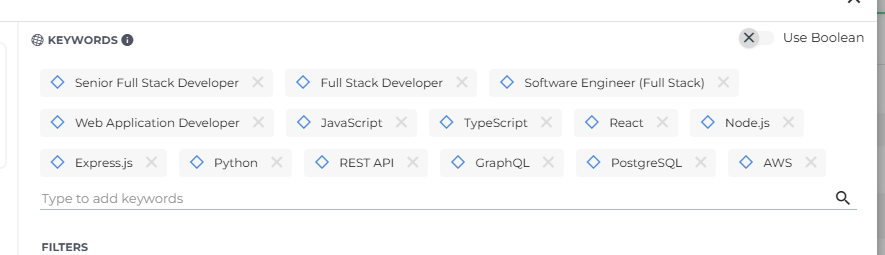
The "Use Boolean" toggle is back in the Required/Desired/Excluded keyword search component, restoring feature parity with the previous user experience. Users who prefer to write Boolean keyword strings directly can now do so from the new keyword component.
Why Does It Matter?
This gives you the flexibility to choose your search method: use the visual Required/Desired/Excluded controls, or switch to Boolean syntax if that's your preferred workflow.
How Do I Enable It?
This update is automatically available for all Search & Match customers. When adding keywords in Keyword Search, the "Use Boolean" toggle appears in the keyword component with the same placement and behavior as before. Select it to switch to Boolean mode.
This is part of the BH R2026.8 release. Click here for release calendar details.
Was this helpful?